
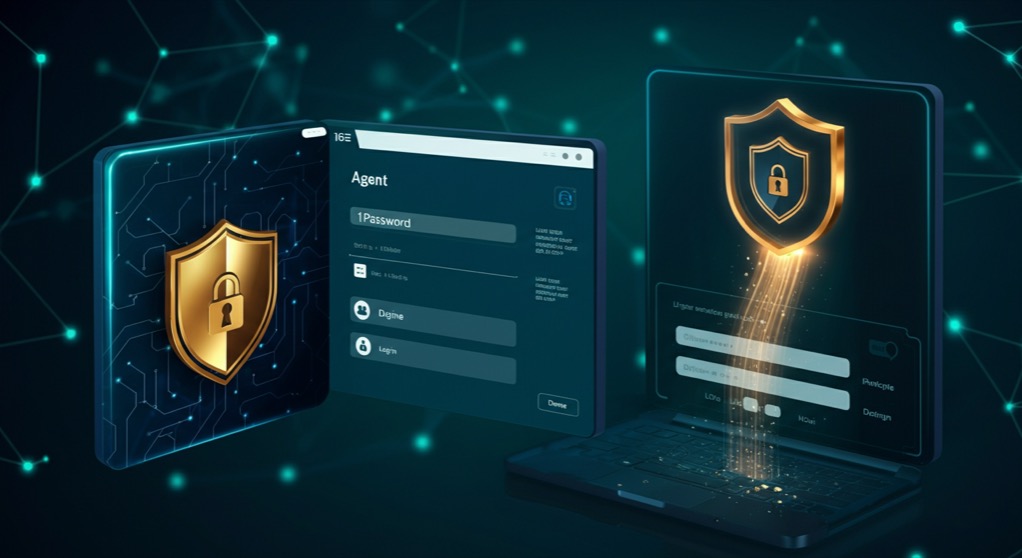
Claude can now use your 1Password vault. That single sentence represents one of the most consequential shifts for anyone building with AI agents in 2026. Until this week, every AI agent hit a hard wall the moment it needed to authenticate. It could write the code, draft the email, or plan the deployment, but it could not press the button that required a password. Anthropic's integration with 1Password, reported by The Verge on July 16, changes that equation. Claude can now securely access stored credentials, usernames, authentication tokens, and session cookies from a user's 1Password vault and use them to log into services, authenticate API calls, and manage browser sessions without a human typing a single credential.
The Authentication Wall That Held Agents Back
AI agents have made enormous strides in reasoning, coding, and planning over the past 18 months. But they faced a fundamental friction point that no amount of model improvement could solve: they could not authenticate. A Claude agent could generate a perfect deployment script for a cloud service, but it could not run it because it did not have the API key. It could draft a support ticket, but it could not submit it because the login form required a password. Every workflow that touched an authenticated endpoint required a human to stop what they were doing, copy a credential, paste it in, and resume the automation. That manual intervention broke the promise of autonomous agents. It turned every workflow into a stop-start dance rather than a truly continuous process.
The 1Password integration solves this by giving Claude a read channel into the same vault that the user already maintains. Instead of asking users to store credentials in yet another system or hand them over via insecure prompts, Claude reads directly from 1Password's secure infrastructure using the 1Password Connect API and browser extension hooks. The credentials never pass through Anthropic's servers. The integration runs entirely on the client side, with Claude accessing the vault through 1Password's own browser extension, which means the same encryption and access controls that protect the vault from other threats also protect it from the AI agent.
How the Integration Actually Works
The technical approach is important because it addresses the security concerns that inevitably arise when an AI starts handling credentials. 1Password's browser extension acts as the gatekeeper. When Claude needs a credential for a specific domain or service, it requests access through the extension. The user can set granular permissions: allow Claude to use any credential in the vault, restrict it to specific items or tags, or require manual approval for each access. This last option functions as a human-in-the-loop mode, where the user gets a notification and must approve the credential release before Claude can use it.
For API keys and tokens, Claude can authenticate programmatic calls to services like AWS, GitHub, Stripe, or any platform with API-based authentication. For browser-based logins, the integration uses 1Password's autofill capabilities triggered programmatically by Claude during browser automation sessions. This means an agent tasked with reconciling invoices can log into Stripe, pull the data, cross-reference it against QuickBooks, and generate a report without the user ever typing a password. The session tokens remain scoped to the agent's current task and expire when the session ends, preventing credential reuse across unrelated contexts.
The integration also supports 1Password's Secrets Automation, which means teams can authorize Claude Code or Claude Cowork instances to access shared vault items like database credentials or deployment keys. For engineering teams using Claude Code for autonomous development workflows, this unlocks the ability to push to production branches, trigger CI/CD pipelines, and rotate secrets without a developer manually pasting tokens into terminal sessions.
What This Means for Founders Building with AI Agents
For solo founders and small teams, the 1Password-Claude integration collapses several categories of toil that previously required dedicated infrastructure investment. Consider the common pattern of a founder running a subscription-based SaaS product. They need to check churn data in Stripe, update customer records in their CRM, and send personalized retention emails. Each of these touches an authenticated endpoint. Before this integration, a founder would need to build a custom auth bridge, store credentials in environment variables, or manually log into each service. Now Claude can orchestrate the entire loop end to end. The founder simply describes the workflow, and Claude executes it, authenticated through the vault that the founder already maintains.
There is also a significant implication for AI agent startups themselves. Companies building autonomous agents for enterprise workflows have had to solve the authentication problem on their own, often by building custom credential management systems or asking customers to store API keys in insecure plaintext config files. The 1Password-Claude integration sets a precedent for how credential management should work in the AI agent era: the agent accesses the user's existing password manager rather than creating a new one. Startups that ignore this pattern and build their own credential stores will face an uphill trust battle with security-conscious customers.
For founders and operators, the practical takeaway is to start thinking about which workflows in your business are authentication-gated and could be handed off to an authenticated agent. The technical capability is here. The integration works today. The question is no longer whether AI agents can execute end-to-end workflows. The question is which workflows you trust them to execute, and what permission model gives you the right balance of autonomy and control.