
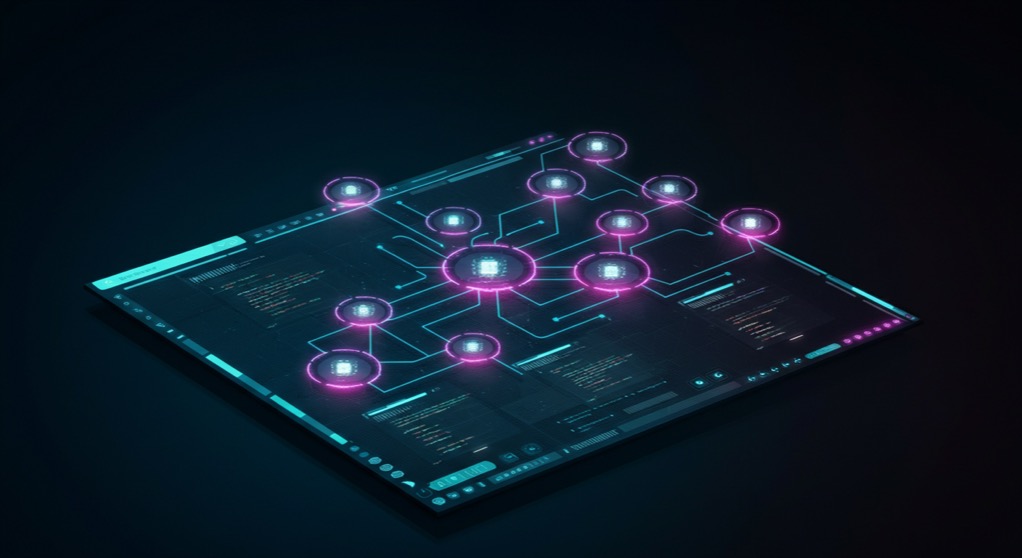
Twenty one thousand, seven hundred and thirty two GitHub stars. A Y Combinator backing. A desktop app that lets you run Claude Code, Codex, Grok, Cursor Agent, OpenCode, and Pi side by side, each in its own isolated git worktree, all visible from a single dashboard. That is Orca, the open-source Agent Development Environment, or ADE, from Stably AI. And it is creating a new category of developer tool that sits somewhere between an IDE, a terminal multiplexer, and an orchestration platform.
The problem Orca solves is simple but increasingly urgent: solo founders and small teams who build with AI coding agents do not run one agent at a time. They run several. One agent refactors a backend service while another writes test suites, a third debugs a race condition, and a fourth drafts documentation. But existing tools were not designed for this. IDEs assume one developer, one cursor, one flow. Terminal multiplexers give you tabs but no isolation, no state tracking, and no way to compare outputs. Orca treats each agent as a first-class citizen with its own workspace, its own git branch, its own terminal, and its own API key.
What Orca Actually Does
Orca is a desktop application available for macOS, Windows, and Linux. It works with any CLI-based coding agent. You install Orca, add your API keys for Claude Code, Codex, Cursor Agent, OpenCode, Grok, or any of the 20+ supported agents, and you can launch them simultaneously in separate worktrees. Each worktree is a fully isolated git branch with its own file state, environment variables, and terminal session. Agents never see each other's changes, never step on each other's commits, and never accidentally overwrite work in progress.
The headline feature is parallel worktrees. You can fan one prompt across five agents, each running the same instruction in their own workspace, then compare the results and merge the best one. This turns coding into something closer to A/B testing for software. Instead of hoping a single agent produces the right output, you run multiple agents in parallel and pick the winner. For complex refactoring tasks, this alone can save hours of back-and-forth debugging.
Orca also includes a built-in terminal with Ghostty-class WebGL rendering and infinite splits. The terminal preserves scrollback across restarts, so you never lose agent output because you closed the app. There is a design mode that lets you click any UI element in a real Chromium window and send its HTML, CSS, and a cropped screenshot directly into an agent's prompt. And there is a mobile companion app for iOS and Android that lets you monitor agent runs, receive notifications when agents finish, and send follow-up prompts from your phone.
Why the ADE Category Matters Now
The timing of Orca's rise is not coincidental. The AI coding agent ecosystem has exploded over the past twelve months. Claude Code launched in early 2025 and quickly became the default for serious AI-assisted development. OpenAI released Codex as a standalone CLI tool. Cursor launched its own agent mode. Grok, OpenCode, Pi, Devin, Goose, and a dozen more agents entered the market. But each agent assumes it is the only one running. There was no tool to manage, monitor, and orchestrate multiple agents working on the same codebase.
Orca fills that gap by creating what its creators call an Agent Development Environment, or ADE. The term is deliberate: where an IDE is for individual developers writing code by hand, an ADE is for developers who direct AI agents to write code on their behalf. The workflow shift is fundamental. In the IDE paradigm, you write every line. In the ADE paradigm, you specify intent, evaluate output, and merge results. Orca is one of the first tools built from the ground up for this new workflow.
The parallel worktree feature is the clearest example. Traditional development workflows use a single git branch with a single working tree. Orca lets you create multiple worktrees from the same repository, each with its own branch and working directory. Agents operate in their own worktree, completely isolated from each other. When an agent finishes, you review its diff, annotate specific lines, and either merge or discard the changes. This turns agent output into something reviewable, comparable, and safe.
Who This Is For
Orca is for solo founders and small teams who use AI coding agents as their primary development tool. If you are running Claude Code for backend work, Codex for frontend work, and a custom agent for testing, Orca lets you manage all three from a single interface without context switching between terminals, API dashboards, and git commands.
It is also for teams that want to evaluate multiple AI coding agents without committing to one. Because Orca supports every major CLI agent, you can run Claude Code and Codex and Grok on the same task and compare the results side by side. This is especially useful for teams deciding which agent to standardize on, or for founders who want to understand which model produces the best output for their particular codebase.
And it is for anyone who wants the safety of git worktree isolation without the complexity of managing multiple git branches manually. Orca handles all the worktree creation, switching, and cleanup behind the scenes. You never have to type `git worktree add` or remember which branch belongs to which agent. You just launch an agent, and Orca gives it its own space to work.
Installation is straightforward. Download the desktop app from onorca.dev, add your API keys, and start launching agents. The mobile companion app is available on the iOS App Store and via an Android APK. The entire project is open source under a permissive license, hosted at github.com/stablyai/orca. At 21,732 stars and climbing, it is one of the fastest growing developer tools on GitHub this year.